Record once. Document forever SOPs · Guides · Test cases · Training videos · CoursesKTKnowledge Transfer sessions in your organizationStakeholder discussions and business requirements with customersSolution design, solution reviews and discovery workshopsUAT sessions and defect triage sessionsCutover, go-live and release meetingsTraining and demo sessions for business users and team membersDocument everythingNo more missed requirements. No more escalations with the business. Online courses · turn any course or KT session into a User Guide, Book or Reference Notes — so you never forget your learnings

StepReel is an AI documentation studio. It watches your screen recording, captures every click and writes the step-by-step guide, SOP, test cases, training video and course — in your brand and in 130 languages.

Exact clicks
captured
StepReel · SOP
Navigator › Procurement › Suppliers

Create a supplier in Oracle Fusion

1
Click Create Supplier
2
Enter the Supplier Name — Al Noor Trading
REC 03:42
New LeadOpen
REC 01:15
HireJob detailsCompensationReview
Compensation · Ahmed Al Harbi
REC 07:08
agent.pytools.py
from openai import OpenAI
def summarise(ticket: str) -> str:
    # ask the model for a 3-line summary
    resp = client.chat.completions.create(
        model="gpt-4o-mini",
        messages=[{"role": "user",
                   "content": ticket}])
    return resp.choices[0].message.content
$ python agent.py  ✓ 12 tickets summarised
UAT · Payables invoiceRun 3 of 3
IDStepExpectedResult
TC-01Create invoiceInvoice savedPass
TC-023-way matchHold releasedPass
TC-03Duplicate numberWarning shownFail
TC-04Validate & postStatus ValidatedPass
3 passed · 1 failed · evidence screenshots attached
REC 24:31
MKFinance director · speaking
FAFinance lead
RSBusiness analyst
JPTech lead
“…so the AP clerk validates the invoice before the payment batch runs.”
REC 41:02
Integration design · Order to Cash
ERPAPI gatewayCRMData lake
  • Trigger on invoice approval
  • Retry 3× with back-off
  • Log every payload
TLTech lead · presenting
SADVQA+9
Ready in 2 minutes
SOPUser guideTest casesTraining videoCourse + quizBook / notes
Export to Word · PDF · PowerPoint · SCORM · share link
LIVEOracle Fusion → step-by-step SOP
99.9%Quality
score
130
languages
SOP
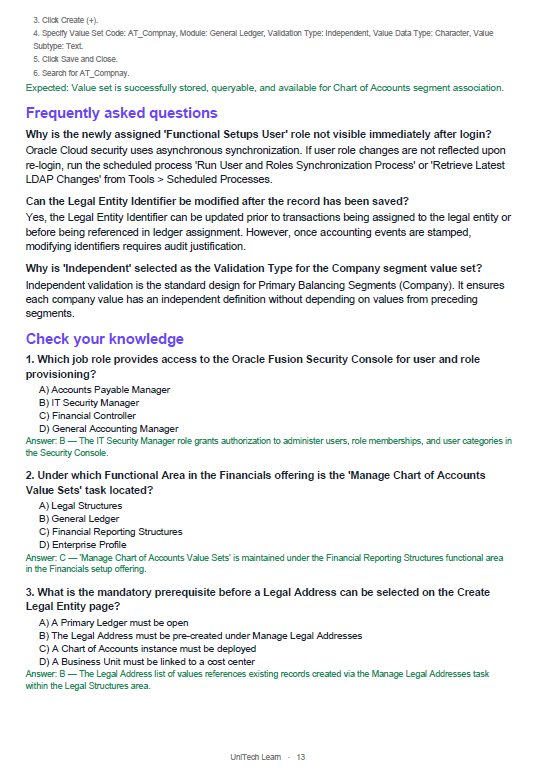
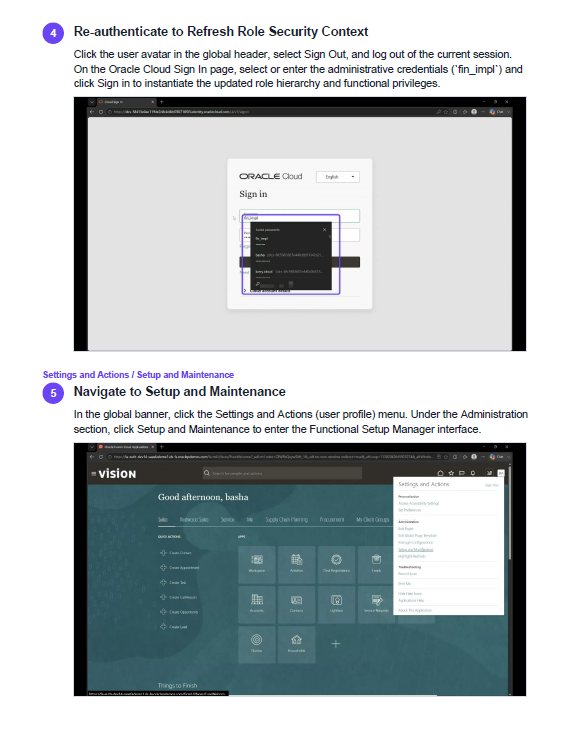
StepReel SOP sample page 1: SOPStepReel SOP sample page 2: Process mapStepReel SOP sample page 3: ScreenshotsStepReel SOP sample page 4: Test casesStepReel SOP sample page 5: FAQ + quizStepReel SOP sample page 6: Training steps✓ 99–100%
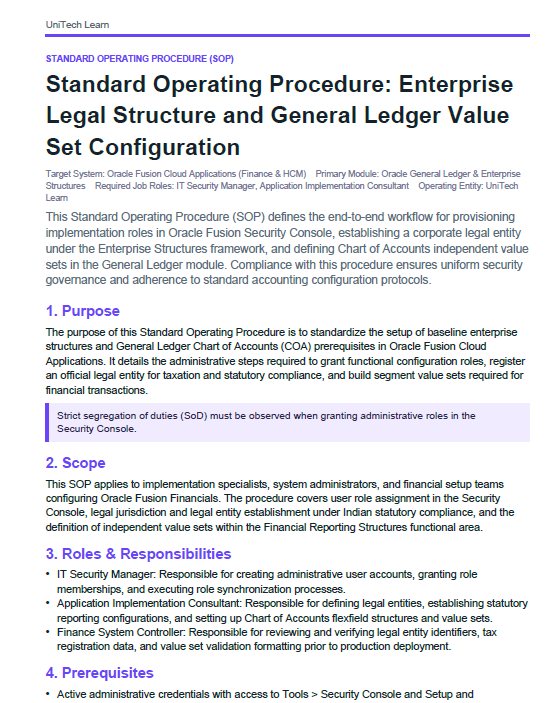
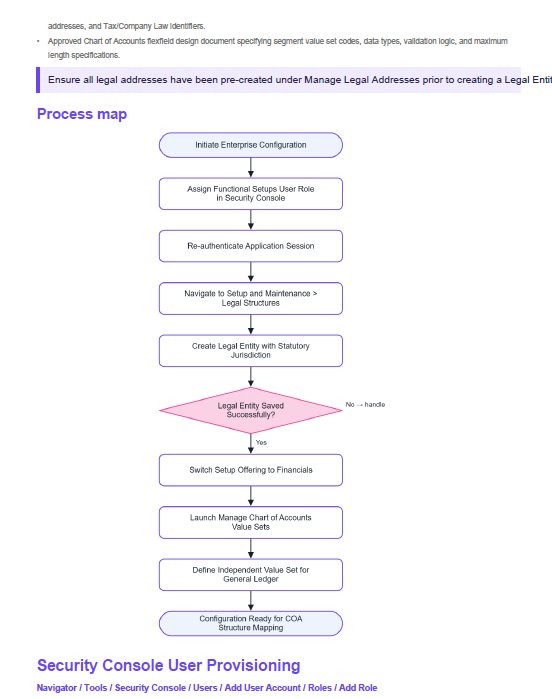
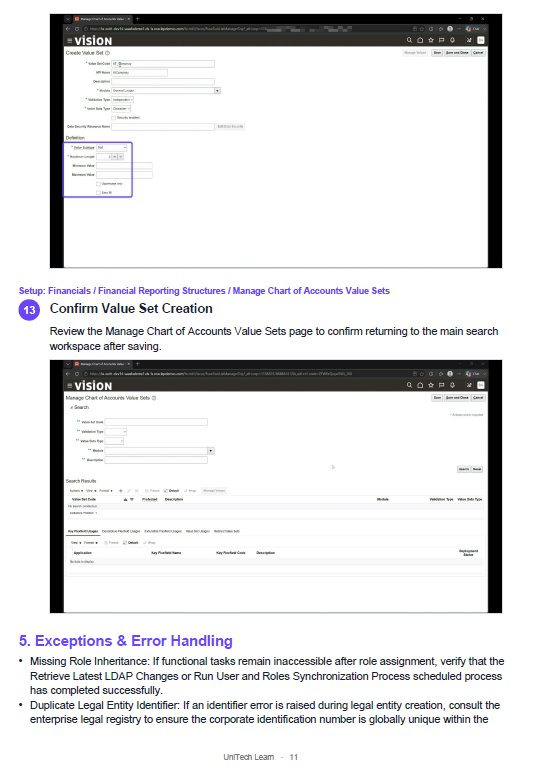
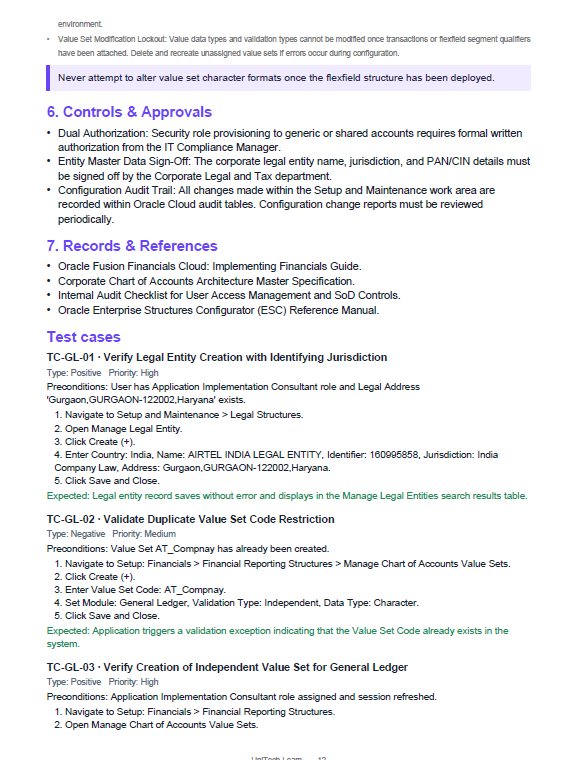
REAL STEPREEL OUTPUT 99–100% quality documents From one Oracle Fusion recording — page 1 of 6
  • SOPPurpose, scope & roles
  • Process mapDrawn automatically
  • ScreenshotsEvery click, every step
  • Test casesControls + approvals
  • FAQ + quizCheck your knowledge
  • Training stepsReady to teach
EARNSell it as your own book on Amazon or as your own online course, like Udemy — StepReel builds it automatically from your live recording or uploaded video. Start earning today.

How it works

Record or upload

Record your screen, or upload a Teams, Zoom or KT session recording. Narrate as you go, or not at all.

AI writes it

The AI reads every screen and your voice, then checks each step against the screenshots.

Edit and share

Fix any word, annotate or blur screenshots, translate, then export or publish your help center.
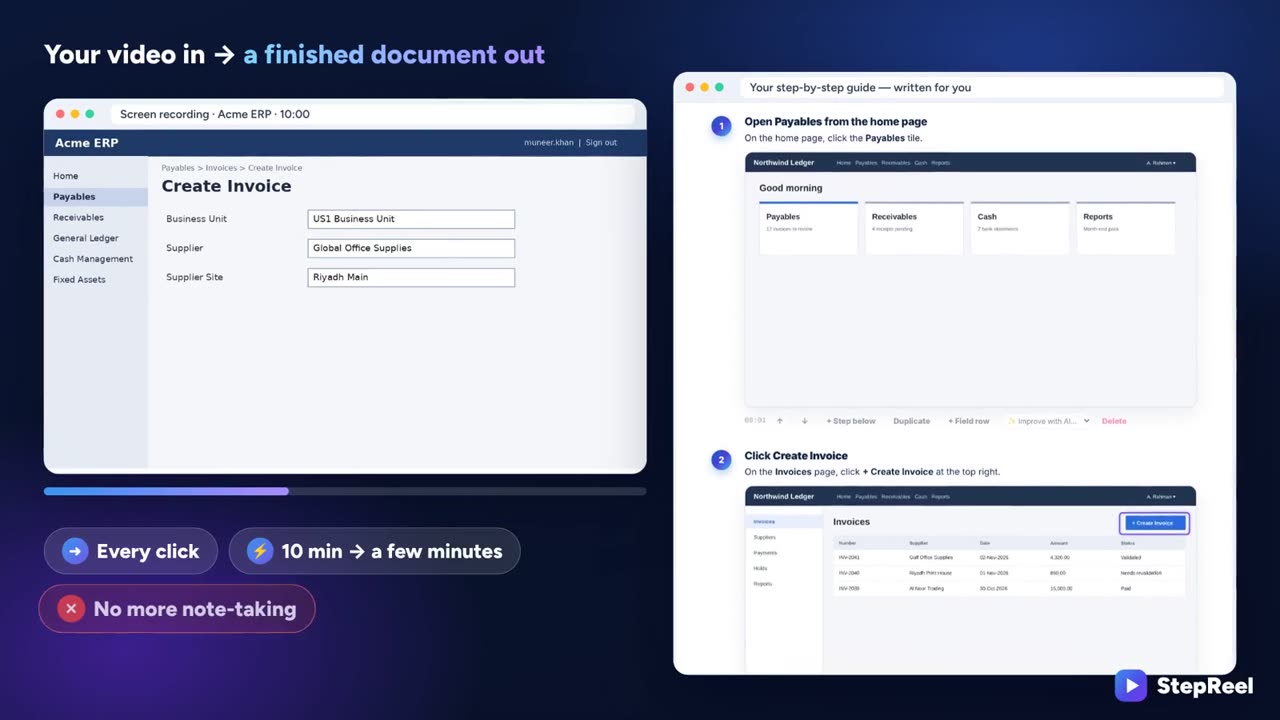
▶ Watch the 4-minute demoSee StepReel turn one Oracle Fusion recording into an SOP, user guide, test cases, training video and course.
StepReel demo: your video in, a finished document out

Jump to a part of the demo

  1. Create your free account2 free 5-minute sessions. No card needed.
  2. Record, upload or paste a linkScreen recording, Chrome extension, Teams/Zoom/KT video or YouTube.
  3. AI writes the documentReads every screen and your voice, checks each step, blurs private data.
  4. Pick what you needSOP, guide, test cases, video or course. ERP and KT modes built in.
  5. Edit, translate and checkFix any word, translate into 130 languages, see the quality score.
  6. Share it or earn from itWord, PDF, PowerPoint, SCORM, help center, or sell it as a book or course.
  7. Create free account
Step-by-step guidesSOPsUser manualsJob aidsHelp articlesTest casesFAQsQuizzesProcess mapsAI agent specsRelease notes
Why teams choose StepReel
Saves hours per SOP

A 10-minute recording becomes a finished, formatted document in about two minutes.

Accurate to the click

Exact clicks, screen text and a second AI check mean the right button names every time.

Always on-brand

Your logo, colours and house style — learned from your own documents — on every page.

Audit-ready

Versions, approvals, change log and document control tables for regulated teams.

Any language

Translate and dub documents and videos into 130 languages in one click.

Free to run

Works with free AI (Gemini, Groq) and switches services automatically if one is busy.

StepReel isn't just a screen recorder — it's your whole documentation, training and testing team in one place.Record once, document forever
\\\

Top 10 features of StepReel

///

Built for real business processes — with ERP mode, KT mode, test-tool exports and AI that never stops.

01
Exact click capture

The free Chrome extension records every click and the button it hit, so each step is precise.

02
AI that never stops

Claude, Gemini, OpenAI, Groq or OpenRouter — busy or down? It switches to the next one by itself.

03
Reads every screen

OCR reads field names and values on each screenshot so the document uses the exact words.

04
Private data blurred

Emails, phone and account numbers are found and blurred on screenshots automatically.

05
ERP mode

Oracle Fusion, EBS, SAP, Workday, Salesforce: navigation paths and field tables in every step.

06
KT session mode

Keeps only the trainer's explanation and splits long sessions into chapters and SOPs.

07
Quality checker

A score out of 100 with every vague step, missing result or inconsistent name — fixed by AI in one click.

08
AI voiceover & dubbing

Natural voices (free Gemini, or your ElevenLabs voice) timed exactly to each step, in any language.

09
Built for testers

Test cases to Jira Xray, Zephyr and TestRail, plus traceability and UAT sign-off sheets.

10
Training anywhere

Interactive walkthroughs, PowerPoint decks, SCORM for your LMS and a branded help center.

|Accurate docs · Faster training · Stronger teams
New

Built for ERP, KT and business teams

The parts of a project that usually get lost — requirements, KT, UAT sign-off — now captured from the recording.

Meeting → requirements

Upload a workshop or meeting recording (audio is fine). Get every requirement with an ID, priority and acceptance criteria — plus decisions, open questions and action items. Nothing said is missed.

Ask AI across all trainings

“How do I raise a credit memo?” — get the answer from your own SOPs and KT sessions, with the exact step and screenshot.

ERP packs

Oracle Fusion, SAP and Salesforce ready: test scripts, UAT sign-off pack, configuration document (BR100 style), KT handover, requirements workshop.

Training mode with results

Share a guide with a short quiz. See who completed it and their score — download the results for your manager or auditor.

Private data hidden automatically

Salaries, IBANs, card and ID numbers, emails, phone numbers and user names are blurred on every screenshot before anyone sees them.

One-click dubbing

Turn the training video into Arabic, Hindi, French or 120+ more languages — the steps are translated and re-voiced in sync.

Everything a recording can become

One capture feeds four products — use one or all of them.

Click Create Invoice

Video

Studio-quality training videos with auto-zoom, captions, brand cards, your voiceover and an on-screen presenter.

Select language
Russian
Arabic
German
How to create an invoice
كيفية إنشاء فاتورة

Translation

120+ languages in one click, with right-to-left layout for Arabic and Urdu.

STANDARD OPERATING PROCEDURE

Month-End Close

Owner → Financial Controller
Close sub-ledgers before General Ledger.

Documentation

Guides, SOPs, manuals, test cases, quizzes and process maps — written by AI, checked step by step.

GET STARTED
Quick start
Invoices
Payments
QUICK START

Your first invoice

Follow these steps to record and validate…

Knowledge base

Turn your documents into a beautiful, searchable help-center website in your brand.

Start from a template

Proven structures for HR, finance, operations, sales and testing — or record a process and let the AI fill one in.

30-60-90 Day Plan

Employee → New Hire Name
Role → Job Title
Manager → Manager Name

Plan overview
Clear goals and milestones for the first 90 days in a new role.
Review this plan together at the 30, 60 and 90 day marks.

30-60-90 Day Plan

HR & People

Invoice Processing SOP

Process → Accounts Payable
System → ERP
Owner → AP Lead

Controls
3-way match of PO, receipt and invoice; duplicate check; approval limits.
No PO, no pay — except approved categories.

Invoice Processing SOP

Finance

UAT Test Script

Release → R1.0
Module → Module name
Tester → Name

Entry criteria
SIT passed with no open critical defects; test data loaded.
Test the business outcome, not just the screen.

UAT Test Script

Quality & Testing

Simple pricing, by training session

1 session = 1 recording or upload up to 60 minutes — a KT session, meeting, workshop, demo or screen recording. Everything made from it is included. AI always included.

Free

$0

Try StepReel on your own processes — AI included, no card.

  • 2 sessions, up to 5 minutes each
  • Recording stops by itself at 5 minutes and the document is created automatically
  • Screen recording, uploads, YouTube
  • Then choose a plan to keep going
Create free account

Starter

$7/30 days

One payment, no renewal. Every Pro feature included.

  • 4 training sessions
  • Valid for 30 days
  • Every output from each session included
  • AI included — no keys
Get Starter
Best value

Pro · 3 months

$59/3 months

AI included — no keys, nothing to set up. Renews every 3 months; cancel any time.

  • 36 training sessions
  • Every output from each session included
  • Cloud saving on any device
  • Save $7 compared with monthly
Get Pro · 3 months

Pro · Monthly

$22/month

Everything in Pro. Cancel any time.

  • 12 training sessions a month
  • Every output from each session included
  • Cloud saving on any device
  • Cancel whenever you like
Get Pro · Monthly

Pro · Yearly

$247/year

Everything in Pro for a full year. Renews yearly; cancel any time.

  • 144 training sessions a year (12 a month)
  • Every output from each session included
  • Cloud saving on any device
  • One payment a year
Get Pro · Yearly
What's in one session? SOP, user guide, test cases, training video, course with quizzes, FAQ and process map — plus edits, re-writes, exports (Word, PDF, PowerPoint, SCORM) and 1 translation. A recording longer than 60 minutes counts as 2 sessions.
Need more? Add 5 sessions for $15 to any paid plan.
Teams

StepReel for teams (5+ people)

One shared library for the whole team, review and approval, training results, your brand on every page and one invoice. Volume pricing.

Book a 15-min demo
Partners

Partner program

IT consultancies, ERP trainers and freelancers: use StepReel on client projects and earn 20% of every customer you bring for 12 months.

Apply to partner
Invite

Invite friends, get sessions

Every friend who joins with your invite link gives you 2 extra sessions (2 extra free recordings on the Free plan). Find your link under Plan & account.

Get my invite link

Every account starts with 2 free sessions of up to 5 minutes, no card needed. Paid plans: create your account, then you go straight to secure checkout by Dodo Payments.

Turn your next recording into a document.

Free to start. Works in Chrome and Edge on Windows and Mac. AI included on every plan.